For U.S. federal reporting, PayPal generally issues Form 1099-K when you receive more than $20,000 and more than 200 goods-and-services transactions during the calendar year, under the current rule described by the IRS instructions for Form 1099-K. Income from selling goods or providing services is taxable whether or not PayPal issues the form.
If you're a Queens contractor, an Etsy seller, or a restaurant owner collecting payments through PayPal, don't treat the 1099-K as your tax bill. Treat it as one record in a reconciliation that separates business revenue, refunds, fees, reimbursements, transfers, and personal payments. The number on the form is gross payment volume, not taxable profit.
Table of Contents
- What PayPal Actually Reports to the IRS
- Which PayPal Transactions Are Taxable
- Reconciling PayPal Activity With Your Books
- State and Local Rules That Change the Answer
- Recordkeeping, Software, and a Workflow That Works
- Common Pitfalls and When to Call a Tax Advisor
What PayPal Actually Reports to the IRS
PayPal reports qualifying payment activity on Form 1099-K, an information document used by the payment platform and the IRS. For the current federal rule, PayPal generally issues the form when goods-and-services payments exceed $20,000 and more than 200 transactions during the calendar year. Both conditions apply, and PayPal may still issue a form below those thresholds. See the IRS guidance on Form 1099-K for the federal framework.
The form reports gross payments, not profit. It doesn't subtract PayPal fees, refunds, credits, shipping, discounts, sales tax collected, or chargebacks. That's why copying the 1099-K total directly onto a tax return can overstate revenue or make your books look wrong.
Why the $600 discussion keeps resurfacing
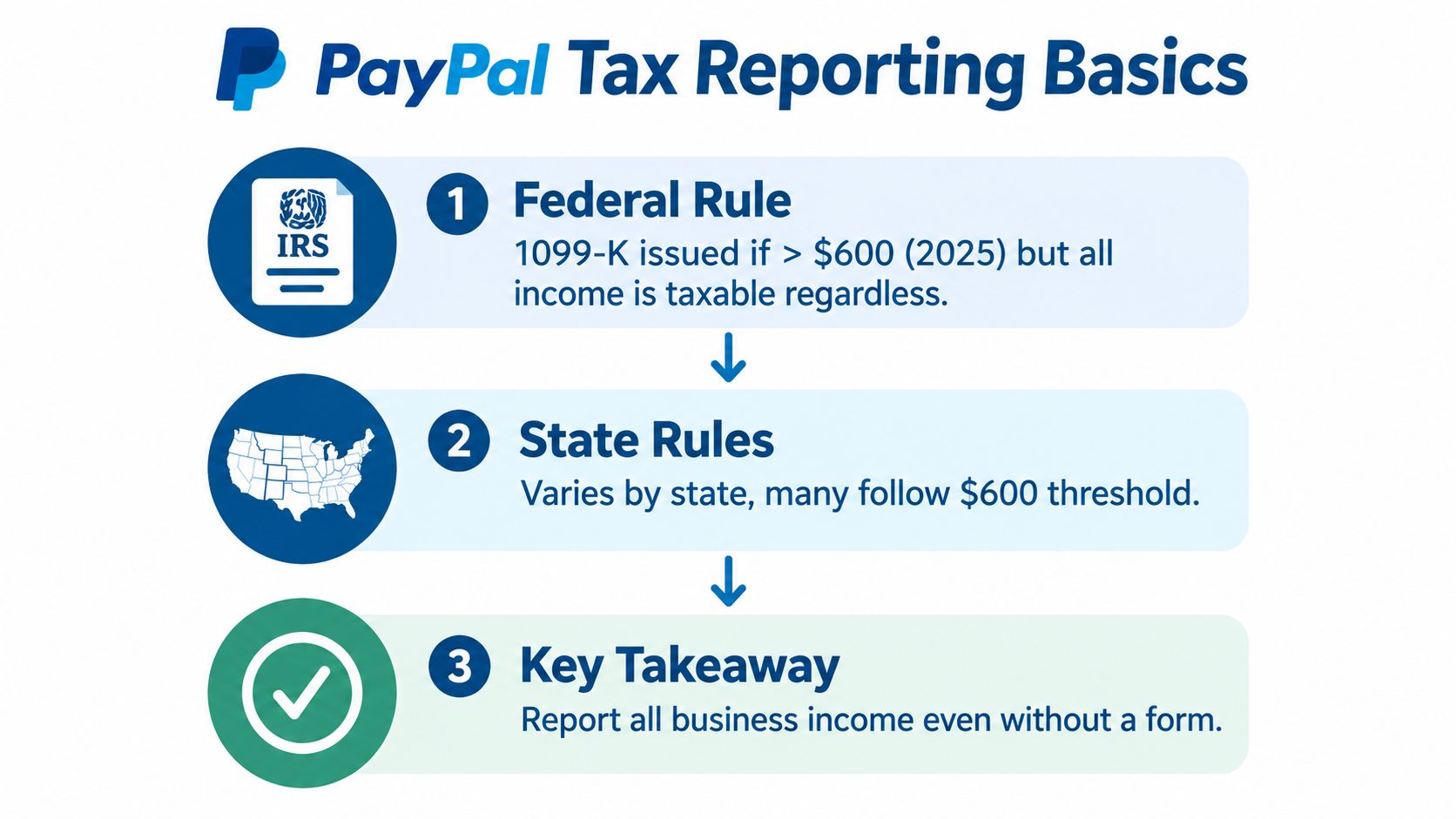
The confusion comes from the American Rescue Plan Act of 2021. For transactions beginning in 2022, that law set a federal third-party-network reporting threshold at more than $600 in annual goods-and-services payments and removed the separate transaction-count condition, as described by the Congressional Research Service. Later administrative guidance delayed enforcement, and subsequent legislation restored the prior federal threshold identified in current IRS materials.
That history changed reporting requirements, not the underlying taxability of business income. A contractor who earned service revenue still had taxable income before the threshold debate. The form only determines what PayPal reports to the IRS and sends to you.
Practical rule: No 1099-K doesn't mean no income, and a 1099-K doesn't mean every dollar is profit.
For a second perspective on the reporting confusion, review this 1099-K guidance for self-employed taxpayers. If you also accept payments through another processor, compare the workflow with this Square 1099-K resource.
Which PayPal Transactions Are Taxable
Payments for your goods or services are generally taxable business receipts, even when the customer sends them through a personal PayPal account or uses a friend-and-family label. Personal reimbursements, gifts, and transfers between your own accounts generally aren't business income, but you need records showing what they were.
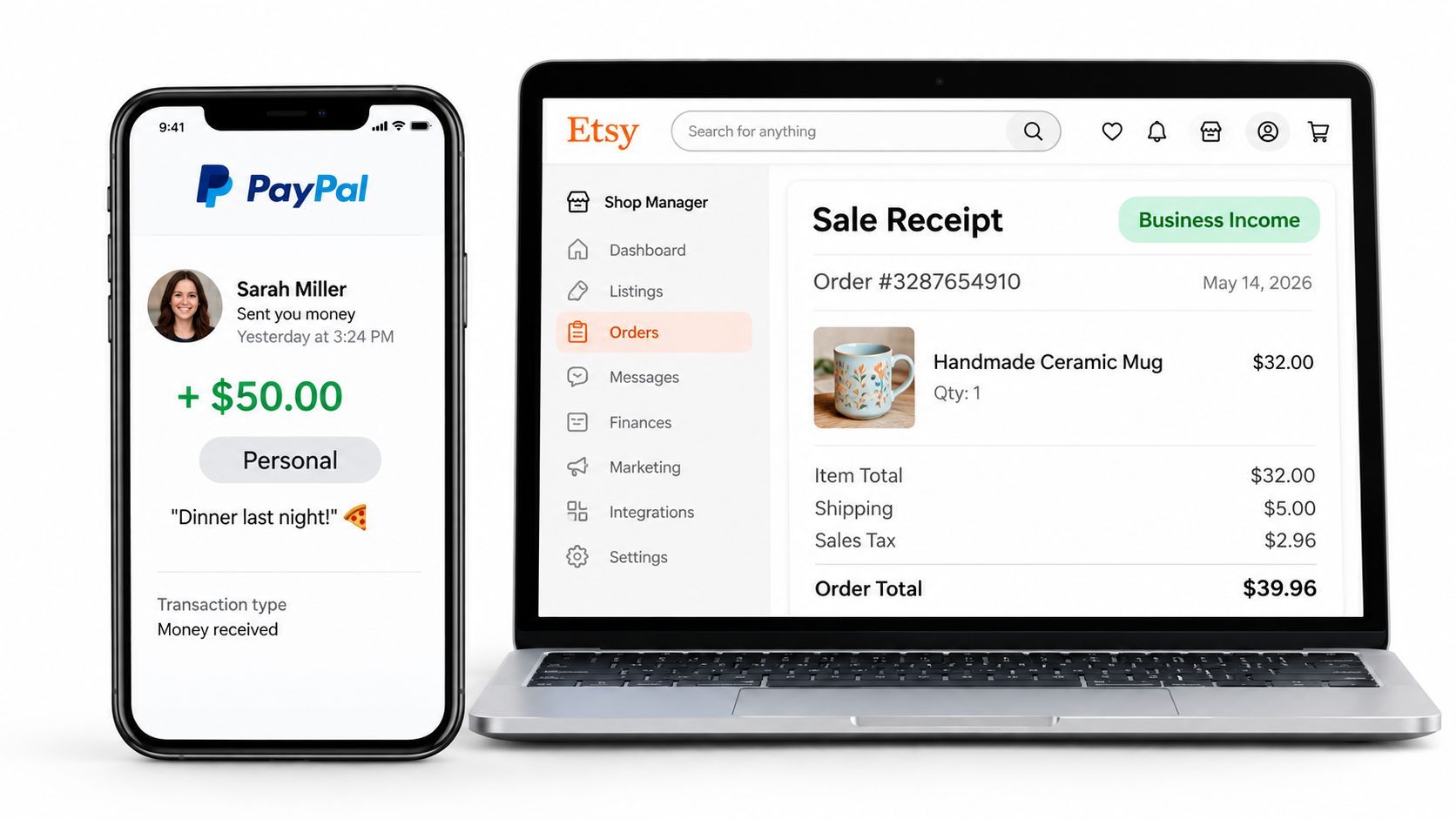
A PayPal label doesn't override the transaction's real purpose. If a customer pays an electrician for a job through a personal transfer, that payment remains business income. If a friend reimburses the electrician for materials purchased for a shared project, the reimbursement may not be income, even if PayPal includes it in a gross report.
Consider a contractor in Queens who receives a $400 PayPal payment from a friend to reimburse materials. The contractor should retain the receipt, payment note, and related messages. That documentation supports treating the transfer as a reimbursement rather than sales revenue, subject to the actual facts.
The same analysis applies to personal property. Selling an item for less than its cost generally isn't business income, while selling goods repeatedly for profit can indicate taxable business activity. A personal sale at a gain may also raise separate tax questions, so don't classify every nonbusiness payment as automatically irrelevant.
Keep the categories distinct:
- Customer payments: Payments for construction work, consulting, restaurant orders, Etsy goods, or other services belong in business records.
- Reimbursements: Money covering someone else's share of a cost needs supporting receipts and an explanation.
- Personal transfers: Gifts, shared household expenses, and transfers between your own accounts should be separated from commercial receipts.
- Mixed payments: If one PayPal transaction combines a sale with shipping or sales tax, split the components in your records.
The tax return follows the transaction's character, not merely the appearance of the PayPal activity screen.
Reconciling PayPal Activity With Your Books
The right process is a three-way reconciliation among PayPal's transaction ledger, your general ledger, and the tax return. A 1099-K is only one input. Your books must explain why the gross form amount differs from bank deposits and reported business revenue.
Start by exporting PayPal transaction-level data. Preserve the transaction ID, date, payer, gross amount, fee, refund, chargeback, and account category. Then separate sales from items that don't represent revenue.
Use gross receipts and adjustments separately
Suppose a customer pays $1,000, PayPal keeps a $50 fee, the customer receives a $100 refund, and the transaction includes $80 of sales tax collected. The form may reflect the gross payment activity even though the bank deposit is lower and the business doesn't keep the sales tax as revenue.
A clean bookkeeping entry would generally show the gross sale, record the PayPal fee as a business expense, record the refund separately, and track the sales tax liability separately, subject to the accounting method and transaction facts. Don't force the general ledger to equal the 1099-K by burying the differences in an unexplained expense account.
| Line item | PayPal activity | General ledger | Tax return |
|---|---|---|---|
| Customer payment | $1,000 | Gross sale recorded | Business receipts analyzed |
| PayPal fee | $50 | Payment-processing expense | Deductible expense if applicable |
| Customer refund | $100 | Refund or contra-revenue entry | Reflected in income calculation |
| Sales tax collected | $80 | Sales tax liability | Not treated as business profit |
| Net bank deposit | $850 | Deposit matched to activity | Not used as the sole revenue figure |
The arithmetic in this example reflects one transaction, not a universal tax treatment. Your accounting method, contract terms, sales-tax obligations, and refund rules can change the entry.
Reconcile before filing
The IRS explanation of what to do with Form 1099-K makes the central point clear: income from goods and services must be reported whether or not PayPal sends a form, while amounts that aren't taxable business receipts must be identified and supported.
Use a monthly reconciliation to tie:
- PayPal gross activity to the transaction export.
- Fees, refunds, chargebacks, shipping, and sales tax to separate ledger accounts.
- PayPal deposits to the bank statement.
- Adjusted business receipts to the tax return.
A practical guide to reconciling payments can help organize the mechanics, but the tax classification still requires judgment. For a contractor with $400,000 in annual revenue, waiting until filing season makes this task unnecessarily large. Monthly records give your tax preparer usable information for projections and make a mismatch explainable rather than alarming.
State and Local Rules That Change the Answer
The federal threshold isn't a nationwide answer. Several states use a $600 reporting threshold, while Illinois uses more than $1,000 plus at least four transactions, according to PayPal's current 1099-K threshold guidance. These state thresholds concern information reporting. They don't decide whether the underlying income is taxable.
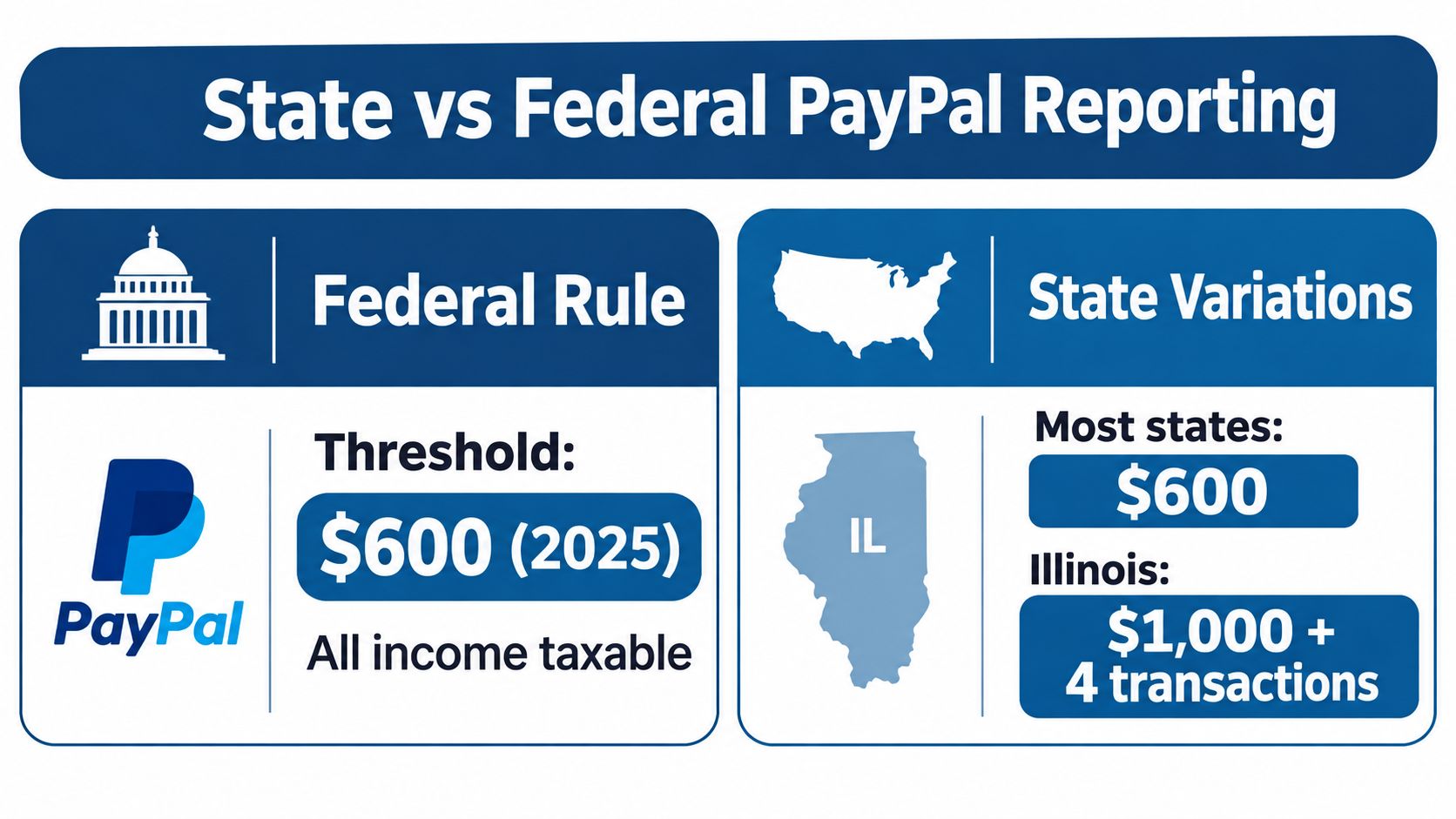
PayPal identifies Maryland, Massachusetts, Vermont, and Virginia as states using a $600 threshold, and Illinois as using more than $1,000 plus at least four transactions. A business can therefore receive a state-related form even when its activity doesn't meet the federal rule.
What happens when you move
The applicable state reporting rule generally follows the account holder's primary address at the end of the prior tax year. Moving during the year doesn't necessarily change which state reporting rule applies to that year's form.
That matters for a seller who moves from New Jersey to New York, or for an owner who sells nationwide while operating from Queens. New York State, New York City, and New Jersey have separate filing and tax considerations, and a multi-state business must distinguish the payment-reporting rule from the income-allocation rules. The PayPal form alone won't determine where business income belongs.
Backup withholding is another trigger. PayPal may issue a 1099-K regardless of payment volume when backup withholding applies. Treat that withholding as a payment toward tax, not as proof that all reported gross payments are taxable profit.
For a restaurant owner filing in two states, review the PayPal account address, customer and business activity, state sales-tax records, and the books for each jurisdiction. Don't assume the federal floor controls every state filing question.
Recordkeeping, Software, and a Workflow That Works
Export your PayPal CSV regularly, preferably monthly, and assign every transaction a clear category: sale, refund, fee, transfer, reimbursement, or personal. Keep invoices, receipts, refund records, and correspondence by transaction ID so you can explain unusual entries without reconstructing the year from memory.
A simple workflow works across different business sizes:
- Export: Download the PayPal activity file and preserve the original copy.
- Tag: Categorize each transaction before it disappears into a bank-feed total.
- Match: Tie deposits to the bank statement and investigate unmatched items.
- Review: Compare the running ledger with sales records and other payment platforms.
- Project: Give the reconciled numbers to your tax preparer before year-end planning.
QuickBooks, Wave, Xero, or a well-designed spreadsheet can all work. The software matters less than consistent categories and timely review. Owners comparing platforms may find this resource on invoicing and accounting tools compared useful. Self-employed owners can also review accounting software for self-employed taxpayers.
If PayPal's form contains an actual error, request a correction from PayPal and retain the supporting transaction records. The PayPal instructions for finding or requesting a corrected 1099 explain the platform process. A correction request doesn't replace your obligation to report the underlying activity accurately.
Common Pitfalls and When to Call a Tax Advisor
The most common mistake is copying the 1099-K total onto the return without reconciling it. That approach can combine business receipts with personal transfers, reimbursements, refunds, fees, sales tax, or activity reported by another platform.
Other avoidable problems include:
- Ignoring state rules: A state threshold may produce a form even when federal reporting doesn't.
- Mixing accounts: Personal and business PayPal activity becomes difficult to substantiate when everything runs through one account.
- Missing other forms: PayPal, card processors, marketplaces, and other platforms may each report separate activity.
- Misreading withholding: Backup withholding is a tax payment, not a conclusion that the gross 1099-K amount is profit.
- Skipping year-end review: A large mismatch between the form and the books deserves an explanation before filing.
Call a tax advisor when you operate across New York and New Jersey, file in multiple states, run an S corporation, need reasonable-compensation analysis, receive an IRS or state notice, or have a significant 1099-K mismatch. Those situations require more than matching a form to a bank deposit.
Blue Sage Tax and Accounting Inc. provides bookkeeping, multi-state filing support, tax preparation, and proactive year-round projections for owner-operated businesses. The firm can help turn PayPal activity into organized records before filing season, with direct access to the owner rather than a rotating support queue.
Blue Sage Tax and Accounting Inc. can review your PayPal reconciliation, separate gross receipts from fees and refunds, and identify multi-state reporting issues before you file. Book your free consultation call today. You can also learn more about the firm at Blue Sage Tax & Accounting Inc..
This article is general information and not tax advice for your specific situation.