An auto mileage log for federal tax purposes must record, for every business trip, the date, business destination, business purpose, and miles driven, plus your total miles for the year. If you're now staring at an app showing thousands of miles but no reason for any trip, you've got a total, not usable evidence. Build the log trip by trip, at or near the time you drive, and it may support the miles you claim depending on your circumstances.
Table of Contents
- What Must an Auto Mileage Log Include?
- Should I Use a Mileage App or a Manual Log?
- Which IRS Mileage Rate Applies to My Trips?
- Do Multi-State or Reimbursed Trips Need a Different Log?
- How Do I Prepare My Log If the IRS Asks Questions?
- Reconcile Your Log Before Year-End and Book Your Review
What Must an Auto Mileage Log Include?
For every business trip, record the date, business destination, business purpose, and miles driven. Add beginning and ending odometer readings for the year and the vehicle's total miles. IRS Publication 463 identifies the essential elements as the mileage for each business use, total miles for the year, date of each trip, business destination, and business purpose.
| Field | What to record | Example entry |
|---|---|---|
| Date of trip | Calendar date the trip took place | March 14, 2026 |
| Business destination | Where you went for business | Customer job site on Elm Street |
| Business purpose | Why the trip was business | Inspect rough-in for kitchen remodel |
| Miles driven | Miles for this trip from odometer or mapping record | 18 miles from start to job site and back |
| Starting and ending odometer | Readings on the first and last day of the tax year | January 2 reading and December 31 reading |
| Vehicle placed in service | Date the vehicle was first used for business | Date the van was first used for business work |
Vehicle details you keep once
For vehicle expenses, also retain the date the vehicle was placed in service and information about the vehicle and improvements. Put that page at the front of the year's file. You won't need to rewrite it on every trip, but you'll need it when the method or cost basis is questioned.
An adequate record captures details at or near the time of the trip. A reconstructed year-end estimate is weaker because dates blur and purposes turn vague. A log kept for only part of a tax year may work if that period is representative of the vehicle's overall use and other evidence supports the remaining period. For recurring routes, you can record the route length once, then document the date of each trip and annual total mileage.
Say a contractor visits three job sites in one week. Monday is a kitchen rough-in inspection, Wednesday is a material pickup for a named job, and Friday is a punch-list walk at a different address. Each line gets its own date, destination, purpose, and miles, even if the same van made every trip.
The log doesn't create a deduction by itself. It separates business travel from personal use and supports the number of miles claimed.
Should I Use a Mileage App or a Manual Log?
An app captures dates and distances well, but it usually doesn't know why you drove. Pair any app with a short business purpose note on every business trip. Location history alone may establish distance without documenting the business connection.
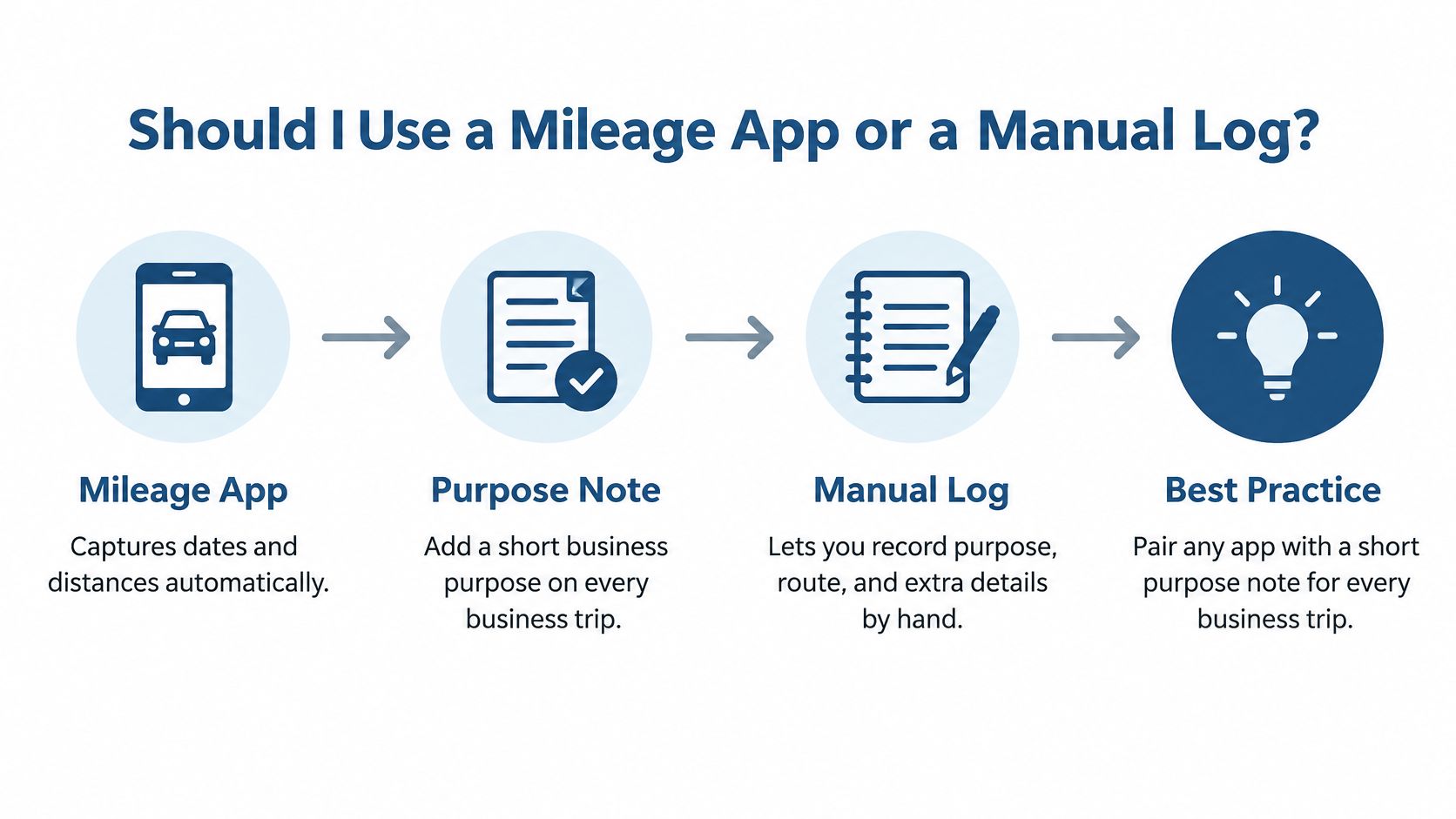
- Mileage app strengths: Captures trips automatically, reduces forgotten entries, and time-stamps each drive.
- Mileage app weaknesses: May classify personal trips as business, depends on your phone running in the car, and often needs manual purpose entries.
- Manual log strengths: Gives you full control over purpose wording and an easy month-end review.
- Manual log weaknesses: Entries are easy to forget and the record depends on consistent discipline.
For fleet and company-car setups, this background on company mileage tracking with CARLOCK is useful context on vehicle-based tracking. Whatever tool you pick, keep one primary record. Two partial systems that disagree are worse than one plain spreadsheet kept daily, and our guide on how to track business expenses shows how the log should sit inside your wider records.
A routine that works with either method
The IRS guidance on business use of a car expects adequate records or sufficient evidence, so build the habit before the year gets away from you.
- Record the odometer: Photograph or enter it on the first business day and on December 31.
- Log each trip promptly: Use five columns for date, start and end locations, business purpose, and miles.
- Classify every trip: Label it business, commuting, or personal, since ordinary commuting isn't business travel.
- Reconcile monthly: Tie business miles to odometer totals and fix gaps while trips are fresh.
- Keep support: Retain calendar entries, invoices, dispatch records, work orders, toll records, or client addresses.
Watch for rounded mileage on every line, purposes written as "client work," and commuting dressed up as business. A plumber's entry reading "service call, replace water heater valve" at a named address says far more. I recommend exporting a monthly backup you can read without the app.
For an S-corporation owner driving a personal vehicle, the owner's log and the company reimbursement report serve different functions. Both should describe the same trips the same way.
Which IRS Mileage Rate Applies to My Trips?
A single van can serve a morning client visit, a supply run, and an afternoon job site in the same week, and the log has to prove which miles belong to which rate and which business purpose. The rate follows the travel date, not the month you total the sheet. The IRS announcement for 2025 set the business rate at 70 cents per mile for miles driven from January 1 through December 31, 2025. For 2026, the IRS standard mileage rates page lists 72.5 cents per mile for the full year.
Because the rate is tied to dates, keep each trip dated and labelled by client or job. If one vehicle serves several clients, that label lets you split business miles cleanly when a customer disputes an invoice or a return preparer needs support. Date-level detail is also what protects you if a later year ever uses more than one rate period, because you will not have to rebuild the log from memory. I would rather see "Mar 4, 8:10 a.m., 14.6 mi, install estimate for Rivera job" than a rounded weekly total.
Standard mileage or actual expenses
The standard rate is optional. Under the actual-expense method, you track eligible costs such as fuel, repairs, insurance, and depreciation, then apply the business-use share. Standard mileage is simpler to calculate, but it does not remove the trip-level record requirement. Both methods stand or fall on the same log.
For an owned vehicle, you generally choose the standard method in the first year the vehicle is available for business use to keep later flexibility. Restrictions can apply depending on fleet use and prior depreciation choices, so check the vehicle's history before electing. If leasing is part of the decision, review the tax benefits of leasing a car before you commit to a method for that vehicle.
Practical rule: Apply the rate in effect on the day you drove, not the day you prepare the return.
Do Multi-State or Reimbursed Trips Need a Different Log?
The log itself stays the same. What changes is the labelling. A trip that crosses a state line, or one the business reimburses, needs two extra fields: the state where the driving happened and who paid for it. With those in place, you can split the year by jurisdiction or match trips to reimbursement reports without rebuilding the record from scratch.
Daily entries are the habit that keeps those fields complete, whether you write them on paper or in an app.
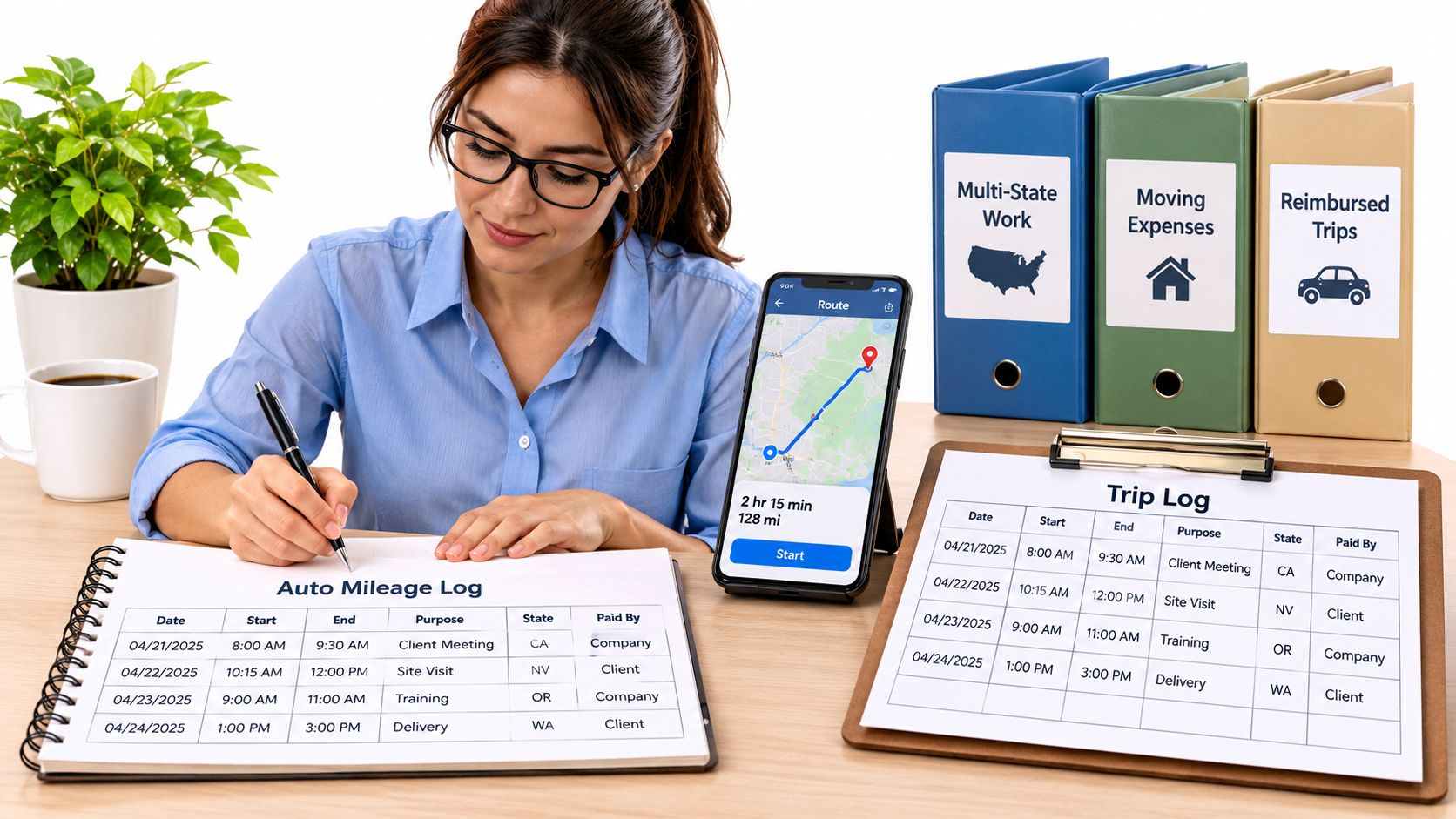
Multi-state filing commonly affects people who moved during the year, work in one state and live in another, own rental property outside their home state, or hold equity compensation that vested while they lived elsewhere. Business driving follows the same pattern. A restaurant owner with locations in New York and New Jersey, or a contractor with $400,000 in revenue moving between job sites across state lines, needs trip-level state detail because each return may treat the same miles differently.
New York State's mileage log form shows the kind of trip-level detail New York State expects, though it is a state form and not a nationwide rule. Federal, New York State, New York City, and New Jersey treatment can differ, so preserve enough detail to support each filing position.
| Scenario | What the log must show | Jurisdiction to check |
|---|---|---|
| Restaurant owner working in New York and New Jersey | Trip date, location, purpose and state for each trip | Multi-state; New York State and New Jersey rules may differ |
| Owner reimbursed for personal-vehicle miles | Business trip log matched to the reimbursement report for the same trips | Federal treatment depends on the reimbursement arrangement |
| Employee with unreimbursed travel | Trip log showing business purpose and destination | Federal: business-mileage deduction generally limited to taxpayers with business income; confirm current law |
| Worker who moved during the year | Trips split by residence period and state | Multi-state; each state's filing rules apply |
The employee row deserves care. A good log proves the trip happened. On its own, it doesn't make unreimbursed employee travel deductible under current federal rules. Owners follow a different path, since reimbursement through the business and a deduction on the business return are separate questions, and the same trip-level record supports both.
For a quick refresher on keeping the record current, this short video shows how disciplined drivers handle it.
Tag each trip with its state and vehicle as you go. One vehicle serving clients in several states produces a clean file only if the state went in on the day of the trip. Sorting a year of mixed-state trips in March is slow, error-prone work.
How Do I Prepare My Log If the IRS Asks Questions?
Keep the log in a form you can produce quickly, with trip-level detail, source records, and monthly reconciliations. For any claimed trip, you should be able to say when you went, where, why, and how the miles were counted. If you can't answer without a week of digging, the file needs work now.
An examiner will typically want the log itself, support for sample trips, and a clear tie from claimed business miles to the odometer. Sample trips are where vague purposes hurt most. "Client visit" invites a follow-up question. A named client, address, and task usually ends that line of inquiry.
Build the file during the year
- Store one folder per tax year: Keep the native log file and monthly backups together.
- Match support to trips: Keep receipts, calendar entries, invoices, dispatch records, and reimbursement reports that align with logged dates.
- Keep vehicle records: Retain the placed-in-service date, improvement records, and service or inspection paperwork showing odometer readings.
- Confirm retention periods: The period the IRS can examine depends on filing dates and exceptions, so ask your advisor rather than relying on a general rule.
- Check each jurisdiction: New York State and New York City examination periods and record rules may differ from federal ones.
A log that agrees with your calendar, invoices, and service records is far more persuasive than a polished log that agrees with nothing.
Owners with several vehicles should keep a separate log for each one and name the vehicle on every trip. Mixing two trucks into one mileage total makes the business-use share for either vehicle impossible to verify. Keep personal records out of the business file entirely, except for the annual odometer readings that establish total miles.
Reconcile Your Log Before Year-End and Book Your Review
A mileage total tells an examiner what you claim. The reconciliation behind it shows whether the claim holds. Before you file, subtract personal and commuting miles from the year's odometer change and confirm the business total matches your twelve monthly reconciliations. Check that every trip still carries a date and a purpose, and fix gaps in December while calendars and dispatch records can still refresh your memory.
- Total the odometer change: Subtract the starting reading from the December 31 reading.
- Remove non-business miles: Pull out personal and commuting trips line by line.
- Compare monthly totals: The twelve reconciliations should add to the annual business figure.
- Match actual expenses if used: Fuel, repair, insurance, and registration records should follow the same business-use share.
If your log lives across an app, a spreadsheet, and a reimbursement form, this walkthrough on how to reconcile operational data across workbooks can help you line the three records up before totals drift apart. Do that work before rates are applied. A midyear rate change makes date errors more expensive to untangle, because each trip has to sit in the correct rate period rather than inside one annual sum.
The same trip-level discipline matters when one vehicle serves several clients or crosses state lines. Reimbursement reports and multi-state filings read the log differently than a single business-use percentage, so confirm each flagged trip carries the client, destination, and jurisdiction that later paperwork will ask for.
Blue Sage Tax and Accounting Inc., an accounting firm based in Bayside, Queens, can review mileage records alongside tax projections and owner reimbursement arrangements. We run a mid-year and a fourth-quarter tax projection, set quarterly estimates against it, and tell you which actions are still available. Our S-corporation service includes an accountable plan for home office, mileage, and owner reimbursements. Book a consultation call to talk through your mileage records.
If your mileage record is a year-end total, a stack of app exports, or several vehicles blended together, bring it in before filing season and we can review it against your projection, reimbursement setup, and multi-state filings. Visit Blue Sage Tax & Accounting Inc. to see how we handle business and individual tax preparation, year-round planning, and notice response. This article is general information and not tax advice for your specific situation.