If you’re self-employed, the right accounting software needs to walk a fine line between being simple enough for a one-person shop and powerful enough to actually help. The big names you'll hear about are QuickBooks Self-Employed, FreshBooks, and Wave. These platforms were built from the ground up to tackle the unique headaches of freelance life, like tracking expenses, logging mileage, and figuring out quarterly taxes. This kind of automation is a lifesaver, saving you time and preventing costly mistakes.
Finding Your Financial Command Center
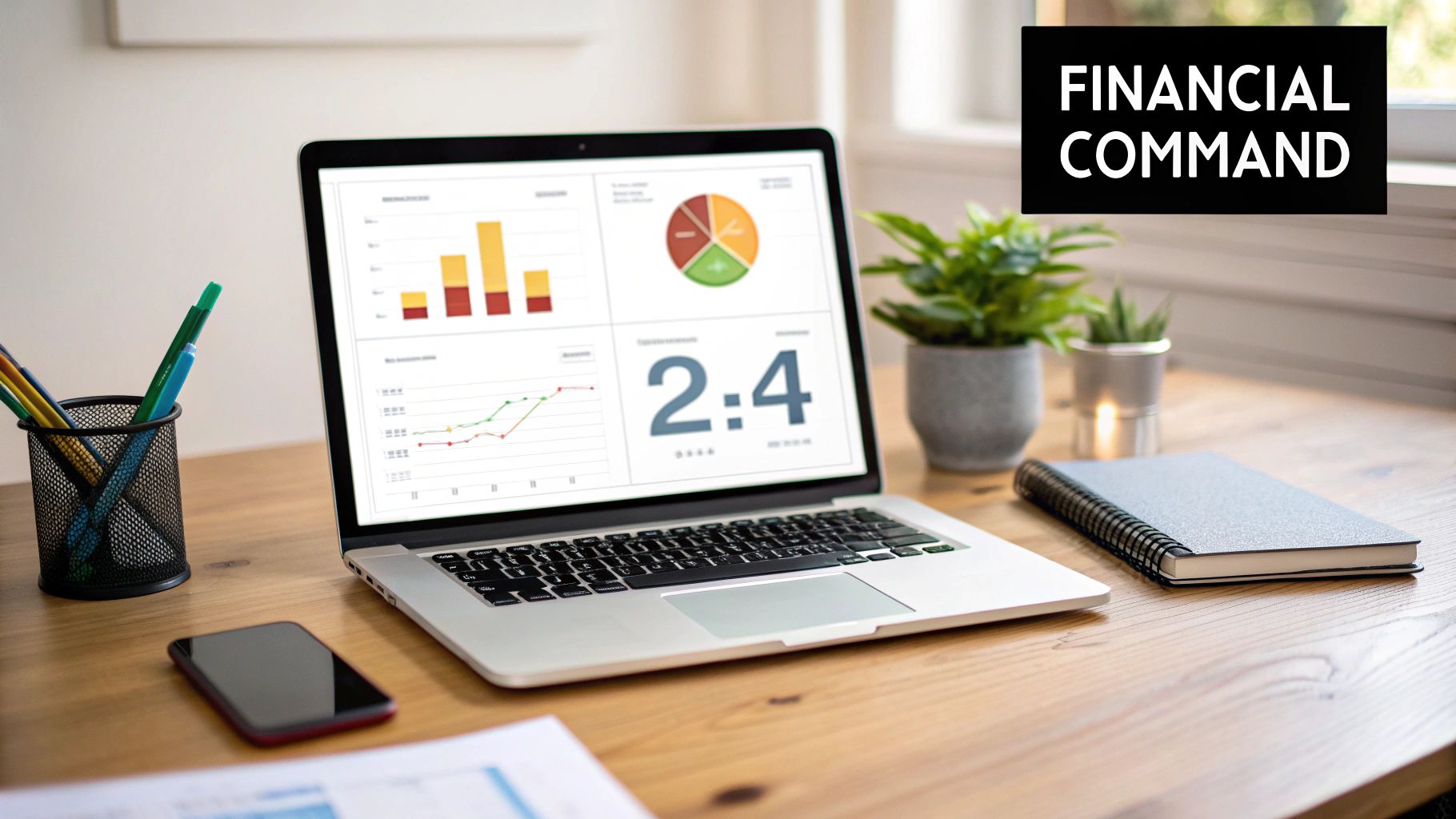
Picking your accounting software isn't just a bookkeeping task—it’s about setting up a control panel for your entire business's finances. When you're working for yourself, the line between personal and business spending gets blurry fast, which makes having a dedicated tool absolutely essential for staying organized and compliant.
A lot of generic small business software is packed with features you'll never touch, like payroll for a team or complicated inventory systems. At the same time, they often miss the very things you actually need.
The best software for self-employed people is designed around the reality of your day-to-day. It understands that your time is your most valuable asset and focuses on making financial tasks as effortless as possible.
Here’s what you should be looking for:
- Automated Expense Tracking: Link your bank accounts so the software can automatically import transactions and suggest expense categories.
- Effortless Invoicing: Quickly create and send professional-looking invoices, and let clients pay online to get your cash flow moving.
- Quarterly Tax Estimation: See a running tally of what you'll owe in quarterly taxes, so you can set money aside and avoid nasty surprises.
- Mileage Logging: Use your phone’s GPS to automatically track your business miles—a tax deduction many people forget.
The Growing Demand for Specialized Tools
The need for these focused tools is driving some serious market growth. As more people go freelance or start their own solo ventures, the demand for easy-to-use financial software has exploded. The global small business accounting software market was valued at roughly $7.688 billion in 2024 and is expected to hit $16.05 billion by 2035.
While invoicing has always been a key feature, expense tracking is currently the fastest-growing part of the market, which shows just how critical it is for independent workers. You can find more details on these trends over at Market Research Future.
A common pitfall is picking software that's way too complicated. A consultant who bills by the hour has completely different needs from a gig worker driving for a rideshare app. The goal is to find a system that fits your workflow, not one that makes you change how you work.
This is exactly why a side-by-side comparison is so important. Rather than getting bogged down in endless feature lists, you need to focus on how each platform solves your specific, everyday financial problems. Modern cloud-based software gives you the real-time data and accessibility you need to make smart decisions from anywhere, ensuring your finances are always organized and ready for tax time.
What Really Matters in Accounting Software
Before we get into the nitty-gritty of comparing specific platforms, let's cut through the noise. Feature lists can be a mile long, but for a self-employed professional, only a handful of functions truly move the needle. These are the four core areas that will save you time, improve your cash flow, and make tax season less of a headache.
Think of these as the foundation of your financial workflow. Nailing them down means you'll pick a tool that actually works for your one-person business, not just one that has a lot of flashy, but ultimately useless, bells and whistles.
Invoicing and Getting Paid
Let's be honest: for any freelancer, cash flow is king. A good invoicing system is your best friend here. It’s not just about creating a PDF; it's about getting paid faster. The right software lets you whip up a professional, branded invoice in minutes and fire it off to your client without leaving the app.
The real magic, though, is in the payment integration. When you can connect directly to services like Stripe or PayPal, your clients can pay with a credit card in a single click. I've seen this alone shrink payment times from 30+ days down to just a few. The best platforms will even send out polite, automated reminders for you, so you don't have to play the part of a collections agent.
Taming the Expense Beast
If you're still manually typing expenses from a shoebox of receipts, you're losing valuable hours. Modern accounting tools completely automate this. The absolute must-have is direct bank integration. It automatically pulls in every transaction from your business bank and credit card accounts, so nothing gets missed.
From there, the software is smart enough to start categorizing things for you—suggesting "Office Supplies" for that Staples run or "Software" for your Adobe subscription. The feature that truly changes the game, however, is mobile receipt capture.
You just snap a picture of a receipt with your phone. The app uses OCR (optical character recognition) to read it, pull out the vendor, date, and amount, and then attach the digital copy right to the matching bank transaction. Your shoebox is now your phone, and every single deduction is perfectly documented for the IRS.
Making Tax Time Bearable
The biggest financial blind spot for most self-employed people is quarterly estimated taxes. Guessing wrong or paying late means handing over extra money to the IRS in penalties. This is where good software pays for itself.
As you log income and categorize expenses, the platform keeps a running, real-time estimate of your tax bill. It knows what's deductible and what isn't. Some apps even track your business mileage using your phone's GPS. When it's time to file, the system can generate a clean Schedule C worksheet with all your numbers perfectly organized for you or your accountant. It turns tax time from a frantic scramble into just another task on your to-do list.
Reports That Give You Real Answers
Finally, your accounting software should be more than a digital ledger; it needs to give you clarity. You don't need a hundred different confusing reports, but these three are non-negotiable for knowing the true health of your business.
- Profit & Loss (P&L) Statement: This is your business's report card. It shows your total income versus your total expenses, telling you flat out if you're actually profitable.
- Cash Flow Statement: This one is crucial. It shows where your cash is coming from and where it's going, helping you spot potential dry spells before they happen.
- Accounts Receivable Aging: A simple but powerful report that lists all your unpaid invoices and shows you how long they've been outstanding. It's your single best tool for knowing who to follow up with next.
Comparing The Top Accounting Software Platforms
Picking the best accounting software for self employed pros goes way beyond just comparing feature lists. You have to get a feel for how each platform actually works day-to-day. A tool can look perfect on paper, but its real worth shows up in how easy it is to use on the go, how well its mobile app works, and if it can actually solve the unique financial headaches freelancers face.
This breakdown zeroes in on four of the biggest names in the game: QuickBooks Self-Employed, FreshBooks, Xero, and Wave. Each one is built for a slightly different type of user, and figuring out those nuances is the secret to finding the right fit. We’ll look at what they do best and where you might hit a wall, giving you a clear sense of the trade-offs.
At the end of the day, it all comes down to how well a platform handles the essentials: invoicing, expense tracking, tax prep, and reporting. These are the pillars of a solid financial system for any one-person show.
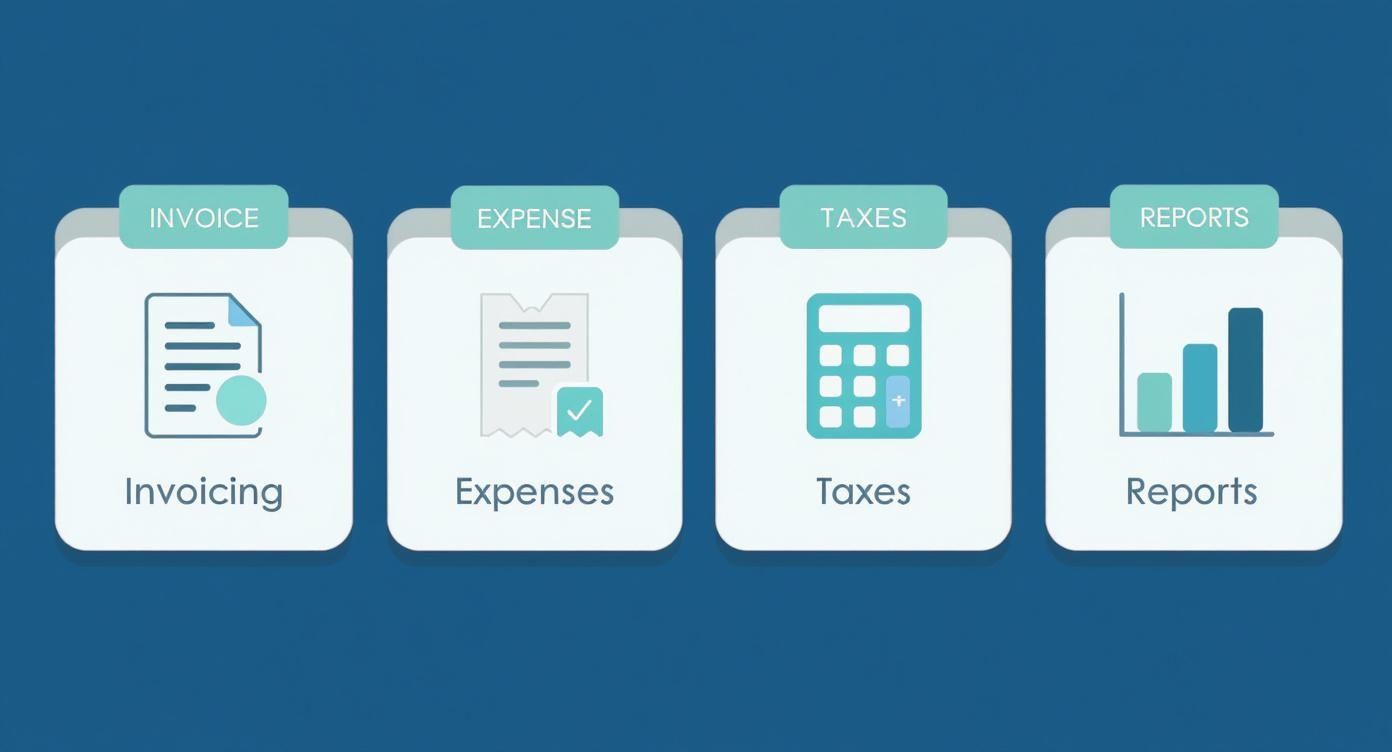
This visual really gets to the heart of it, showing how all these pieces fit together to keep a freelance business financially healthy and organized.
QuickBooks Self-Employed: The Tax-Focused Workhorse
QuickBooks Self-Employed is designed with a single-minded purpose: making tax time less painful for freelancers and independent contractors. Don't confuse it with its more complex sibling, QuickBooks Online; this is a stripped-down tool for tracking income, sorting expenses, and, most critically, estimating your quarterly taxes with impressive accuracy.
Its killer feature is the automatic mileage tracker. It just uses your phone's GPS to log business trips in the background, so you don't have to remember to do it. For consultants, real estate agents, or anyone who drives for work, this feature alone can easily find thousands of dollars in deductions you might have missed. It also makes separating business and personal expenses—a constant struggle for sole proprietors—as simple as a swipe left or right.
If your main goal is to nail your tax obligations and make sure your Schedule C is airtight, QuickBooks Self-Employed is for you. It’s built to give you peace of mind and prevent any nasty surprises from the IRS.
But that laser focus is also its biggest weakness. The reporting is pretty thin, giving you little more than a basic Profit & Loss statement. It doesn't track bills you need to pay (accounts payable) and its invoicing features aren't nearly as flexible as what you'll find elsewhere. It does one job, but it does it incredibly well.
FreshBooks: The Client-Centric Invoicing Specialist
FreshBooks earned its stripes by making invoicing and time tracking feel effortless and look professional. If your business is all about billing clients for your time and projects, this platform is hands-down one of the best out there. The interface is exceptionally clean, which makes it easy to fire off beautiful, branded invoices that encourage clients to pay you faster.
Where FreshBooks really pulls away from the pack is in its client management tools. You can track your billable hours against specific projects, send detailed proposals that clients can sign off on digitally, and even automate payment reminders. It’s this focus on the entire client relationship, from the first proposal to the final payment, that truly defines it.
The mobile app is also a powerhouse, letting you run your business from anywhere. Sending invoices, tracking time, snapping photos of receipts—it’s all smooth and intuitive on your phone. This makes it a fantastic choice for consultants, designers, writers, and any professional whose livelihood depends on strong client communication and steady cash flow.
It’s worth noting that while FreshBooks has added more traditional accounting features over the years, its soul is still in the front office. If you need serious inventory management or complex financial reporting, you might find it a bit light.
Xero: The Scalable All-Rounder
Xero brings a much more complete accounting engine to the table, one that’s ready to grow right alongside your business. It has a bit more of a learning curve than FreshBooks or QB Self-Employed, but what you get in return is a far deeper set of features. It’s a true double-entry accounting system, which is something your CPA will definitely thank you for.
A huge perk with Xero is that all plans come with unlimited users, so you can bring your accountant or bookkeeper on board without paying extra. Its integration library is also massive, connecting with over 1,000 other apps that handle everything from payment processing to project management. This lets you build a tech stack that’s perfectly suited to how you work.
For self-employed people who see growth on the horizon—like hiring subcontractors or forming an LLC—Xero offers a clear path forward. Its reporting is robust, giving you the kind of detailed financial insights you need to make smart business moves. Just be aware that its entry-level plan caps the number of invoices and bills you can process each month, so you’ll likely need to upgrade as your business gets busier.
Wave: The Powerful Free Contender
For freelancers and solopreneurs watching every penny, Wave is the undisputed champion. It offers a shockingly powerful set of accounting, invoicing, and receipt-scanning tools for an unbeatable price: free. You can send unlimited invoices, connect all your bank accounts, and track your finances without a monthly subscription fee.
This makes it an incredible launchpad for new business owners who need to keep their overhead as low as possible. So, how do they make money? Through optional services like payment processing (they take a small cut when a client pays your invoice via credit card) and payroll.
Wave is the best accounting software for self employed people just starting out or those with very simple finances. It delivers all the core functions you need without the monthly cost, offering incredible value upfront.
Of course, there are trade-offs. You won’t get dedicated customer support on the free plan, and you'll see ads within the platform. Key features like project management and automatic mileage tracking are also missing. While it’s a fantastic free tool, businesses with more complex operations may eventually need to graduate to a paid platform.
Accounting Software Feature Showdown for Freelancers
To see how these tools stack up on the features that matter most, here’s a side-by-side comparison. This isn't about which one is "best," but which one is best for you based on your specific needs.
| Feature | QuickBooks Self-Employed | FreshBooks | Xero | Wave |
|---|---|---|---|---|
| Primary Focus | Tax preparation & mileage tracking for freelancers | Invoicing, time tracking & client management | Full-featured, scalable accounting for growing businesses | Free, all-in-one accounting & invoicing for beginners |
| Mileage Tracking | Excellent (Automatic via GPS) | Basic (Manual entry) | Via third-party integration | Not available |
| Quarterly Tax Estimate | Yes, highly accurate | No | No | No |
| Invoicing | Basic, functional templates | Excellent (Highly customizable, proposals, reminders) | Robust (Good customization, recurring invoices) | Excellent (Unlimited, customizable, professional) |
| Expense Tracking | Simple, swipe-to-categorize business vs. personal | Good, with receipt scanning | Comprehensive, with advanced rules & bank reconciliation | Good, with receipt scanning and unlimited bank connections |
| Double-Entry Accounting | No (Simplified ledger) | Yes | Yes | Yes |
| Scalability | Low (Designed for individuals) | Moderate (Good for small service-based teams) | High (Grows from solopreneur to small business) | Low (Best for simple, solo operations) |
| Pricing Model | Subscription-based | Subscription-based | Subscription-based | Free (Paid options for payments/payroll) |
This table makes it clear: QuickBooks Self-Employed is the tax specialist, FreshBooks excels at client interaction, Xero is the powerhouse for growth, and Wave is the unbeatable free option. Your choice depends entirely on which of these roles is most critical for your business right now.
The move toward these platforms is happening fast. The U.S. accounting software market was valued at USD 6.09 billion in 2024 and is expected to hit USD 8.74 billion by 2030. This boom is driven almost entirely by freelancers and small businesses demanding smarter, cloud-based tools to manage their money and stay on top of taxes. Discover more insights about these market projections to see where the industry is headed.
Matching the Software to Your Work Style

The right platform isn't just about a checklist of features; it's about finding a tool that actually fits your daily grind. The best accounting software for self employed people should feel less like a chore and more like a natural part of your workflow.
Let's ditch the abstract comparisons and get into how these tools perform in the real world. I've found the best way to see the differences is to put them in the hands of three distinct self-employed profiles, each with their own financial headaches and priorities. By seeing how a specific platform solves their problems, you'll get a much clearer picture of which one fits you.
The Freelance Creative Project Juggler
First up, picture a freelance graphic designer juggling multiple projects. Her income is a mix of retainers, one-off project fees, and hourly work. What keeps her up at night? Tracking billable hours accurately and sending out polished, professional invoices that don't look like they were made in a spreadsheet.
For her, time tracking isn't some "nice-to-have" feature—it's the heart of her business. Every minute she doesn't log is money left on the table. A clunky, manual process is a direct hit to her bottom line.
Recommendation: FreshBooks
FreshBooks was practically built for this exact scenario. Its sweet spot is making the whole client journey, from the initial proposal to the final payment, feel incredibly seamless and professional.
Here’s how it slots right into her workflow:
- Time Tracking: She can fire up a timer directly in the FreshBooks app for any project, making sure every single billable minute gets captured.
- Effortless Invoicing: When the project's done, she can pull all those tracked hours straight into a beautifully designed invoice with just a few clicks.
- Proposals and Estimates: Before a big job, she can send out a detailed proposal that the client can approve digitally. This sets clear expectations right from the start.
FreshBooks gets it. It understands that for a creative freelancer, how you bill is just as important as the work you deliver. The focus is squarely on the client-facing side of a service business.
While it handles basic expense tracking just fine, its real power is in organizing project-based finances and making you look good to your clients.
The Gig Economy Road Warrior
Next, think about a self-employed courier who spends his entire day on the road. He’s earning from several different delivery apps, and his biggest expenses are gas, vehicle maintenance, and insurance. The one thing that's a constant financial challenge? Capturing every last deductible business mile.
For any gig worker, mileage is a huge tax deduction that's incredibly easy to underestimate. Fiddling with a manual logbook is a pain and almost always inaccurate. He needs a system that works automatically in the background so he never misses a deduction.
Recommendation: QuickBooks Self-Employed
This platform was designed from the ground up for the gig economy. The killer feature is its automatic mileage tracker, which uses your phone's GPS to log every trip without you having to do a thing.
Here’s how it makes his life easier:
- Automatic Mileage Logging: The app just runs in the background, logging trips. At the end of the day, he just has to swipe left for personal and right for business. Done.
- Quarterly Tax Estimates: As he logs income and expenses, QuickBooks gives him a real-time estimate of his quarterly tax bill. No more sticker shock in April.
- Simple Expense Sorting: He can connect his bank account and quickly categorize all those gas station and auto shop receipts as business expenses.
QuickBooks Self-Employed isn't built for complex businesses. But for a sole proprietor whose main goals are to stay tax compliant and maximize every possible deduction, it's an incredibly powerful and simple tool.
The Independent High-Value Consultant
Our last profile is an independent consultant in NYC who does financial modeling for high-net-worth clients. She bills a high hourly rate, manages retainers, and needs to give her clients sophisticated, detailed reports. Her priorities are powerful financial reporting and the ability to integrate with the other tools in her tech stack.
She needs more than just basic bookkeeping. She needs a true accounting system that can grow with her if she decides to bring on subcontractors or form an S-Corp down the line. For her, scalability and data integrity are non-negotiable.
Recommendation: Xero
Xero delivers the power of a full double-entry accounting system without being overwhelming for a one-person shop. It’s the perfect middle ground for a consultant who needs deep financial insights and a platform that won’t limit her growth.
Here’s why Xero is the right call for her:
- Robust Reporting: She can generate detailed Profit & Loss statements, balance sheets, and cash flow reports to get a granular view of her business's health.
- Scalability: Xero is built to scale. If she hires a virtual assistant or wants to collaborate with her accountant, she can grant them access at no extra cost.
- Massive Integration Library: It connects with hundreds of other business apps, from payment processors like Stripe to CRMs. This lets her build a completely customized and automated workflow.
For the serious consultant who’s already planning for the future, Xero provides a solid and expandable financial foundation.
Future-Proofing Your Financial Tech Stack
Picking accounting software isn't just about solving today's problems. It's about making a long-term investment in your business. The right choice will handle what you need now and grow with you, saving you the massive headache of switching systems in a few years.
Think of your accounting software as the central hub of your business operations. When it doesn't play well with the other tools you use, you end up with data trapped in different places. That means you're stuck manually entering information, which is a huge time-waster.
Building an Automated Ecosystem
Real efficiency is all about automation, and that starts with good integrations. When your tech stack is properly connected, your apps can communicate with each other, creating a smooth flow of information that handles administrative tasks in the background.
Look for software that connects easily with the tools you already use every day. This creates a powerful ecosystem that keeps your business running without constant manual intervention.
Here are the key integrations you should look for:
- Payment Gateways: This is a must. Direct links to Stripe or PayPal let clients pay invoices online. The software then automatically logs the payment and any transaction fees, making cash flow management a breeze.
- Project Management Tools: If you live in apps like Asana or Trello, an integration can pull billable hours and project costs straight into your accounting platform. This makes invoicing for project work much faster and more accurate.
- E-commerce Platforms: Selling products online? A solid connection to Shopify or Squarespace is essential. It will automatically sync your sales, inventory, and sales tax data.
The global market for business accounting software is blowing up, thanks in large part to the gig economy. The next wave of innovation is focused on automated workflows and tight mobile integrations, giving independent workers more control over their finances. You can discover more insights about these market dynamics to see how the tools are evolving.
Planning for Scalability
So, what happens when your solo gig takes off? You might hire a subcontractor or decide it's time to form an LLC. The software that was perfect for you as a freelancer can quickly become a limitation if it can't keep up.
A critical mistake is choosing a platform with no upgrade path. Migrating all your financial history from one accounting system to another is a complex, time-consuming, and often expensive process that can disrupt your entire business.
Before you sign up, look into the provider’s upgrade options. For instance, Intuit has a well-defined path from QuickBooks Self-Employed to its more powerful QuickBooks Online plans. That transition is designed to be fairly painless, carrying your historical data over while giving you access to features like payroll, advanced reporting, and accounts payable.
FreshBooks and Xero are also built to scale, with tiered plans that add more features as your business grows. On the other hand, while Wave is a fantastic free starting point, its scalability is limited. If your business grows quickly, you'll likely hit a wall and be forced into a migration. Thinking about where you want to be in three to five years is a key part of making the right choice today.
Got Questions? We've Got Answers
Stepping into the world of self-employment finance brings up a ton of questions. Choosing the right software is a big commitment, and it's totally normal to wonder about the cost, the learning curve, and whether you're making the right call. This last section is all about giving you clear, straightforward answers to the questions we hear most often.
Think of this as your final gut check before you pull the trigger. We’re going to get real about what it’s like to use these tools and talk about how software, spreadsheets, and professional advice all fit together.
Can't I Just Use a Spreadsheet to Manage My Finances?
When you’re just starting out, a spreadsheet feels like the perfect free-and-easy solution. And for the first month or two, it might be. But that initial simplicity quickly disappears, and what’s left is a major liability. The appeal of a "free" tool fades fast once you're drowning in manual data entry just to keep it up to date.
The biggest issue? The massive risk of human error. One little typo in a formula or a forgotten expense can torpedo your entire financial picture, leading to bad business decisions or, even worse, a surprise tax bill. Research has shown that a ridiculously high percentage of business spreadsheets have significant errors—a risk that skyrockets as your business grows. Good software automates all that tedious work, which practically eliminates those kinds of mistakes.
The real cost of a spreadsheet isn't zero. It's the dozens of hours you’ll pour into manual tracking and the potential for costly, stressful errors. The best accounting software for the self-employed isn't an expense; it's an investment in your sanity and accuracy.
Plus, professional software does things a spreadsheet just can't. It can spit out a Profit & Loss statement with one click, create professional invoices that actually help you get paid faster, and neatly organize everything you need for your tax filings (especially that all-important Schedule C).
If I Use This Software, Do I Still Need an Accountant?
This is a big one, and the answer is a firm "yes." Accounting software is a phenomenal tool for keeping your day-to-day finances in order, but it’s no substitute for the strategic mind of a Certified Public Accountant (CPA). The two are designed to work together, giving you a powerful, complete financial management system.
Here's a good way to think about it: your software is the co-pilot. It handles all the routine stuff—logging transactions, sending invoices, tracking mileage, and generally keeping your books spotless. This clean, organized data makes your accountant’s job infinitely easier and more efficient, which often means you pay them less for their time.
Your accountant, on the other hand, is the navigator. They take the data your software has gathered and use it to offer high-level strategic advice. They’re the ones who can help with complex tax planning, find nuanced deductions you’d never think of, and guide you on the big-picture decisions, like structuring your business or planning for retirement. Software follows the rules; an expert helps you build the strategy.
How Much Should I Actually Budget for Accounting Software?
The good news is you don’t have to break the bank to get a fantastic tool. There are solid options at every price point, so the goal is to find the one that matches your current needs and delivers real value.
Here’s a realistic look at what you can expect to pay:
- Free Options: Tools like Wave are genuinely free for their core accounting and invoicing features. This is a perfect launchpad for freelancers with simple finances who are just getting started.
- Entry-Level Paid Plans ($15-$40/month): This is the sweet spot where most self-employed people land. Subscriptions from platforms like QuickBooks Self-Employed or FreshBooks unlock the features that really save you time and headaches. Think automatic mileage tracking, direct bank feeds, and quarterly tax estimates—these are the things that pay for the subscription many times over.
- Advanced Plans ($40+/month): As your business scales, you might look toward more robust platforms like Xero. These higher-tier plans are built for people who might be managing inventory, paying subcontractors, or who need more detailed financial reports and access for multiple users.
The smart way to decide is with a quick cost-benefit analysis. If a $20-a-month plan saves you three hours of admin work and helps you find $50 in extra deductions, you're already coming out way ahead. Start with a tool that fits you today, but keep an eye on whether it can grow with you tomorrow.
Managing your finances is one of the most critical jobs you have as a self-employed professional. And while the right software is an essential ally, pairing it with a dedicated accounting expert ensures you’re not just tracking your money—you’re making it work for you. At Blue Sage Tax & Accounting Inc., we provide the strategic, year-round guidance that software alone can't, helping you navigate complex tax laws and build a secure financial future.